
Introduction
Online code editors have changed the way people write, test, and share code. In the past, developers needed powerful computers, heavy software, and long setup processes to start coding. Today, anyone with an internet connection can open a browser and begin writing code within seconds. This simple shift has made programming more accessible than ever before.
For beginners, these tools remove fear and confusion. There is no need to install compilers, configure environments, or worry about system errors. For intermediate users, online platforms offer speed, flexibility, and easy collaboration. You can switch devices, work from anywhere, and still continue your projects without interruption.
Online code editors are especially useful for students, freelancers, teachers, and hobby programmers. They support multiple programming languages, provide real time previews, and often include helpful features like syntax highlighting and error detection. As a result, learning and practicing coding feels smoother and more enjoyable.
In this guide, you will learn everything you need to know about online code editors. We will explore what they are, why they matter, how to use them step by step, and what benefits and risks come with them. By the end, you will have a clear understanding of how to use these tools confidently and effectively for learning, practice, or real projects.
What is Online Code Editors?
Online code editors are web based tools that allow users to write, edit, and run code directly in a browser. Unlike traditional editors that require installation, these platforms work completely online. You simply open a website, choose a language, and start coding.
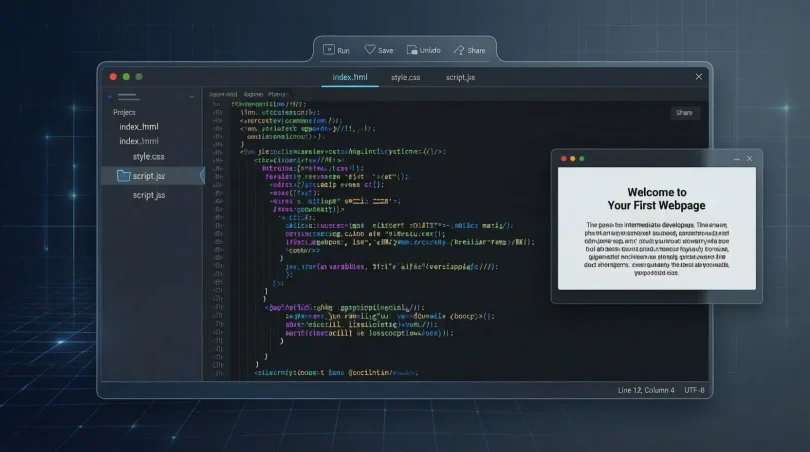
Most online code editors support popular languages such as HTML, CSS, JavaScript, Python, Java, and C++. Some also support advanced frameworks and libraries. They usually provide a clean interface where code is written in one panel and output is shown in another.
These editors are designed to be user friendly. Features like auto indentation, syntax coloring, and basic debugging tools help users write cleaner code. Many platforms also allow saving projects in the cloud, making it easy to return later.
Another important feature is sharing. You can share your code with a single link, which is helpful for teachers, students, and team members. Overall, online code editors act as lightweight coding environments that run entirely in your browser.
Why is Online Code Editors Important?
Online code editors are important because they lower the entry barrier to programming. Beginners often struggle with installations and system requirements. These tools remove that problem completely.
They are also important for learning. Students can practice code instantly without waiting for setup. Teachers can demonstrate concepts live, and learners can follow along in real time. This makes coding education faster and more interactive.
For professionals, online code editors improve productivity. You can test ideas quickly, debug small snippets, or review shared code without opening heavy software. Collaboration becomes easier because everyone works in the same environment.
Another key reason is accessibility. Whether you are using a laptop, tablet, or shared computer, your coding workspace remains available. This flexibility is valuable in today’s remote and mobile work culture.
Detailed Step by Step Guide
Step 1: Choose the Right Platform
Start by selecting an online code editor that matches your needs. Some platforms focus on web development, while others support general programming. Beginners should choose simple interfaces with clear layouts.
Check which languages are supported. Make sure the editor offers the language you want to learn or practice. Also, look for features like live preview and error messages.
Step 2: Create an Account or Use Guest Mode
Many online code editors allow guest access. This is useful for quick testing. However, creating an account lets you save projects and track progress.
Registration usually requires only an email address. Once logged in, you can organize your files and access them anytime.
Step 3: Select a Programming Language
After logging in, choose the programming language you want to use. Some editors automatically load templates for selected languages, which saves time.
For example, selecting HTML may open a basic structure. This helps beginners understand correct formatting from the start.
Step 4: Write Your Code
Begin typing your code in the editor panel. Most online code editors highlight keywords and show indentation automatically.
Take advantage of suggestions and warnings. These hints help you avoid common mistakes and improve code quality.
Step 5: Run and Test the Code
Click the run or execute button to see results. Output usually appears instantly in another panel or window.
If errors occur, read the messages carefully. They often point directly to the problem line, making debugging easier.
Step 6: Save and Share Your Work
Save your project to the cloud if the option is available. This ensures your work is not lost.
Sharing is usually done through a link. You can send this link to teachers, friends, or team members for feedback.
Benefits of Online Code Editors
- No installation required, saving time and effort
- Easy access from any device with internet
- Beginner friendly interfaces and helpful tools
- Supports multiple programming languages
- Quick testing and instant output
- Simple code sharing and collaboration
- Ideal for learning, teaching, and practice
Disadvantages and Risks
- Requires stable internet connection
- Limited advanced features compared to desktop editors
- Performance may slow with large projects
- Privacy concerns if code is stored online
- Dependency on platform availability
- Less control over environment settings
Common Mistakes to Avoid
One common mistake is relying only on online tools and ignoring fundamentals. While these editors are helpful, understanding core concepts is still essential.
Another mistake is not saving work regularly. Internet issues can cause data loss if projects are not saved.
Some users also ignore error messages. Reading them carefully can save a lot of time and frustration.
Using online code editors for very large or sensitive projects can be risky. In such cases, offline environments may be more suitable.
FAQs
Are online code editors good for beginners?
Yes, they are excellent for beginners. They remove setup complexity and allow instant practice, which builds confidence quickly.
Can I use online code editors for real projects?
Small to medium projects work well. For large scale applications, offline tools may offer better control and performance.
Do I need internet all the time?
Yes, most online code editors require an active internet connection to function properly.
Are they safe to use?
Most platforms follow security standards. However, avoid uploading sensitive or private code without understanding the platform’s policies.
Can I collaborate with others?
Many online code editors support collaboration. You can share links or work together in real time on the same project.
Which languages are supported?
Support varies by platform, but most include popular languages like HTML, CSS, JavaScript, Python, and Java.
Expert Tips & Bonus Points
Use online code editors as learning tools, not shortcuts. Practice writing clean code and understanding logic.
Combine them with offline learning. Once comfortable, try desktop editors to expand your skills.
Regularly review shared examples from others. This helps you learn different coding styles and techniques.
Keep backups of important projects. Download code when possible for extra safety.
Conclusion
Online code editors have become an essential part of modern programming. They make coding simple, fast, and accessible for beginners and intermediate users alike. By removing installation barriers, they allow anyone to start learning and experimenting without delay.
These tools are especially useful for education, quick testing, and collaboration. Students can practice freely, teachers can demonstrate concepts easily, and professionals can share ideas without complex setups. The flexibility of working from any device adds even more value.
However, it is important to understand their limitations. Internet dependency, performance limits, and privacy concerns mean they are not always the best choice for every situation. Knowing when and how to use them makes all the difference.
By following the steps, tips, and best practices shared in this guide, you can confidently use online code editors to improve your coding skills. With consistent practice and smart usage, these tools can support your journey from beginner to skilled programmer in a smooth and effective way.